BRS dosing pump question

madweazl

2500 Club Member
View Badges
Joined
Sep 19, 2016
Messages
4,110
Reaction score
5,096
Location
Virginia
Rating - 0%
0   0   0
OK, I need a sanity check here to make sure I'm doing things right. I have three BRS dosing pumps that I've created 3 individual processes (timers) for to "automatically dose" 24 times daily for 2 minutes (approx 1.9ml/minute) for a total of roughly 45ml. I've then assigned that process (timer) to a switch channel (4, 5, and 6 in my case). I think this part is good to go but if I'm doing this wrong or there is a better way, please let me know. The issue I'm having is creating a delay between the doses; in my case, I'm dosing calcium, alkalinity, and magnesium and I don't want them to dose simultaneously. How do I create a 5 minute delay between the activation of the switch channels?

Edit: Also, is there a way to add an activity chart to the dashboard for the dosing pumps?
 
Last edited:

Create your schedule on each DOSING PUMP channel, specify starting time for each dose, then assign each dosing channel to the power outlet which has these BRS dosers.
 
Create your schedule on each DOSING PUMP channel, specify starting time for each dose, then assign each dosing channel to the power outlet which has these BRS dosers.

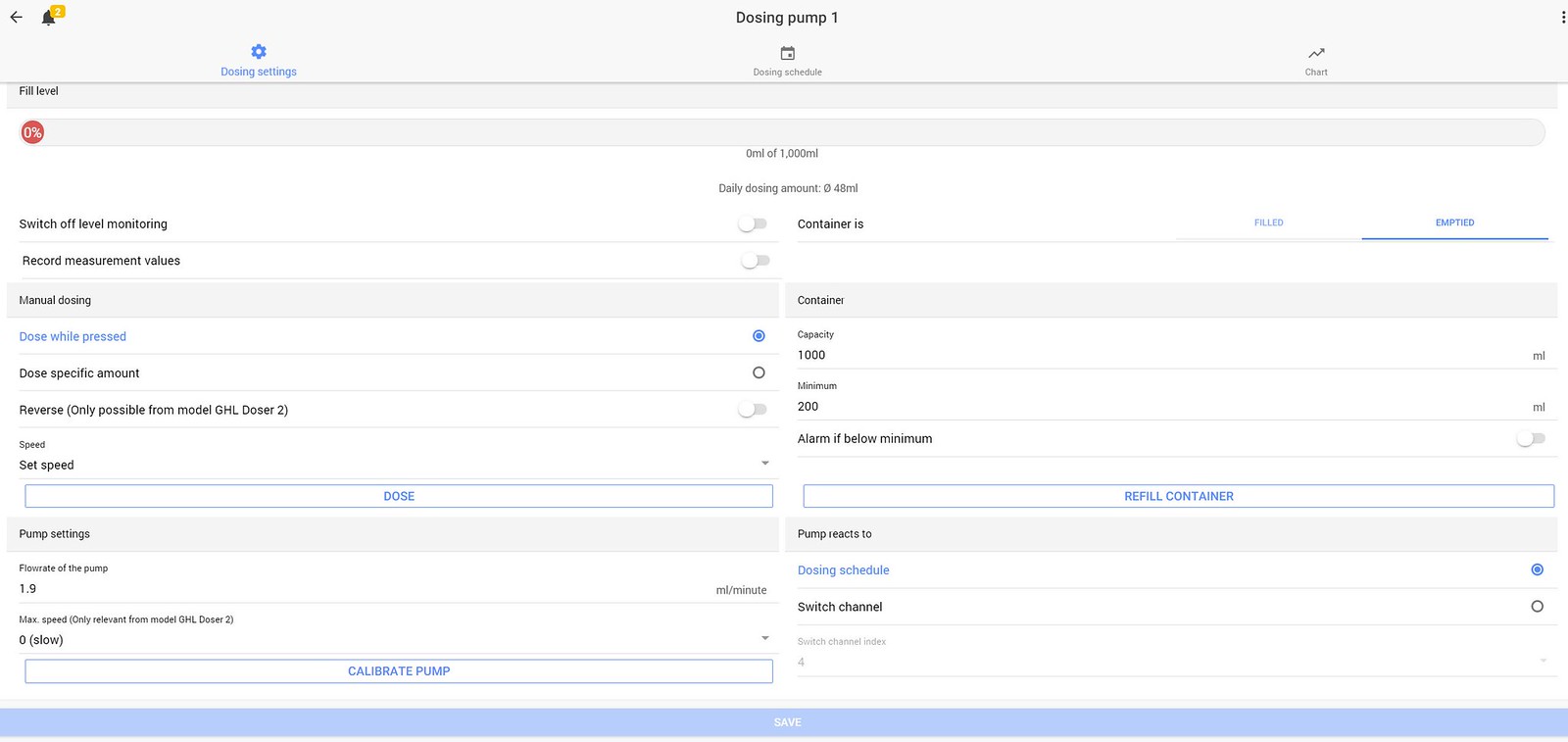
OK, so what I'm trying to achieve is dosing 50ml spread out over 24, hourly doses. I have a BRS dosing pump that doses 1.9ml per minute.

If I'm supposed to be here, what do I select?
49519256671_cc9d4cfa4d_h.jpg
 
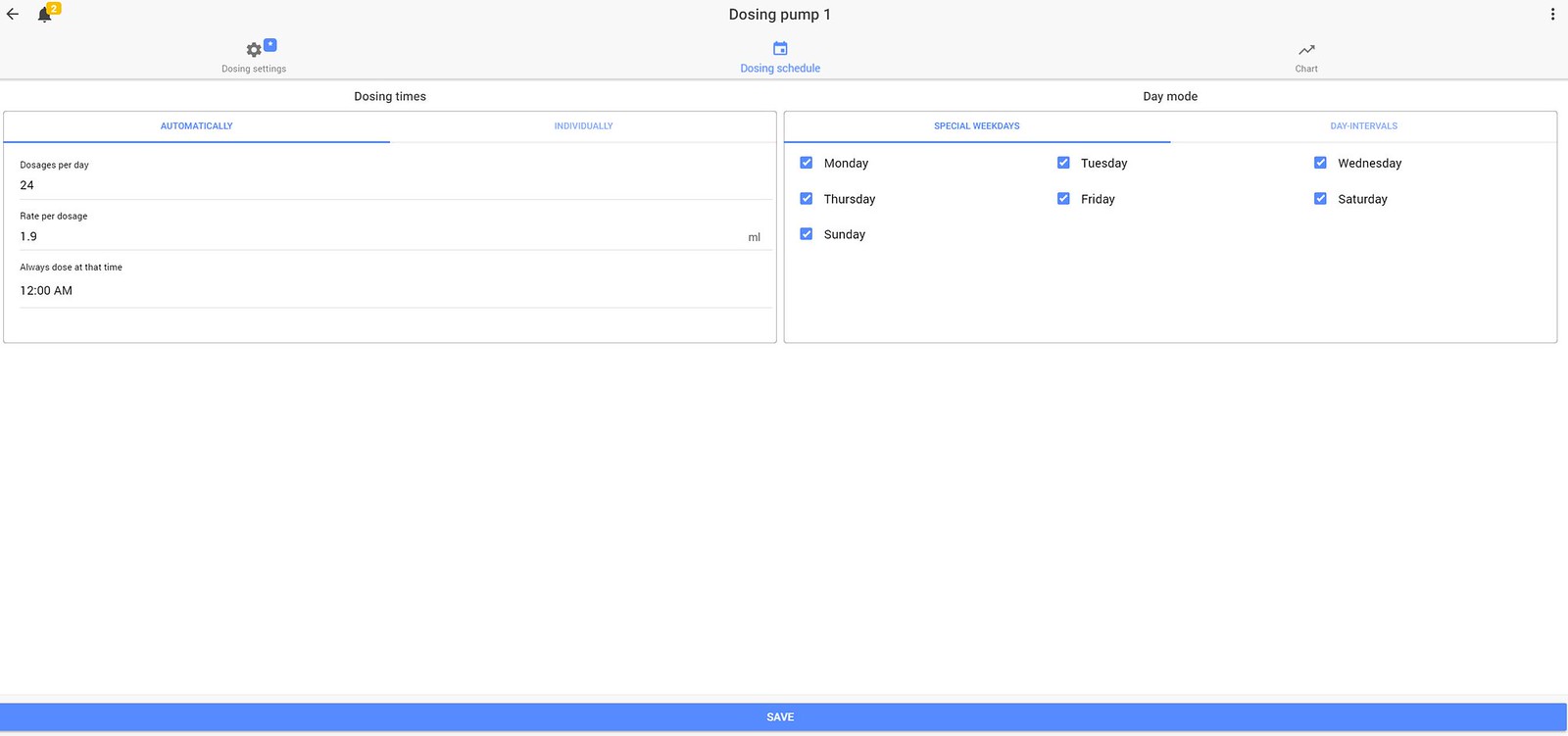
In the middle of the screen top you see dosing schedule click that icon. Within here is where you would you program get he amount.

Set the automatic dosing option set to 1.9 and then set it to 24 select your days of true week and the start time.

When you do the second one off set the start timeBy 5 mins so for example 12:05. And when you do the third 12:10.

Hope this help.
 
In the middle of the screen top you see dosing schedule click that icon. Within here is where you would you program get he amount.

Set the automatic dosing option set to 1.9 and then set it to 24 select your days of true week and the start time.

When you do the second one off set the start timeBy 5 mins so for example 12:05. And when you do the third 12:10.

Hope this help.

I had attempted to do that first. I used the settings below.
49520174113_130f1691e8_h.jpg


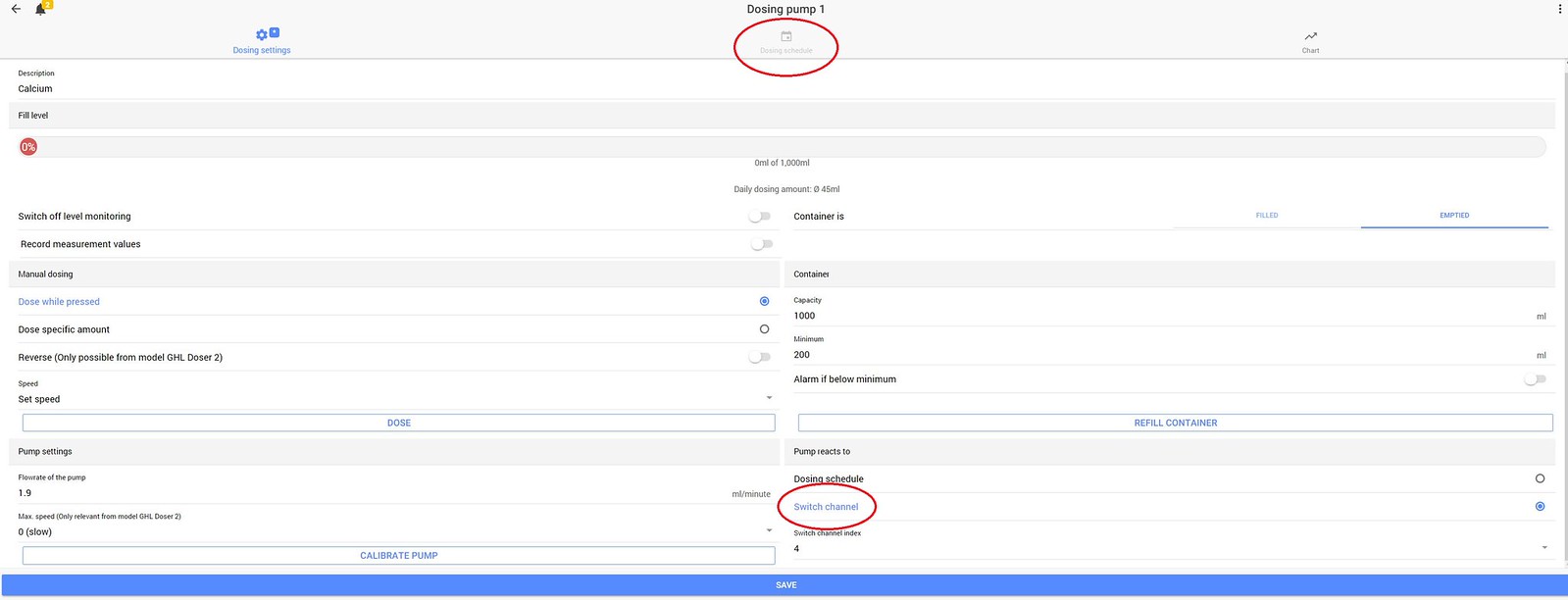
But when I went back to the Dosing Settings tab and selected a Switch Channel, the Schedule tab is greyed out. My assumption was that these two functions couldn't be used together?

49520920332_1156a6e4e1_h.jpg


I didn't know BRS had a 1.9ml/min dosing pump. I thought they only had the 1.1ml/min and the 50ml/min.

They advertise them at 1.1ml but mine push 1.9ml (two of the three, I haven't tested the last pump yet).
 
OK, maybe I have it figured out. Instead of selecting a Switch Channel in the Dosing Settings, I select Dosing Schedule and then in the main menu I can select Switch Channels, the outlet (Switch Channel 4 in my case), and set the Function to Dosing Pump [1]?

49521008397_11740dab31_h.jpg


Edit: That was the solution; thanks for the assistance gang.
 
Last edited:

IF YOU HAD TO TAKE A REEFING EXAM, WOULD YOU PASS?

  • Yes!

    Votes: 32 45.7%
  • Not yet, but I have one that I want to buy in mind!

    Votes: 9 12.9%
  • No.

    Votes: 26 37.1%
  • Other (please explain).

    Votes: 3 4.3%
Back
Top