
Apex jr down!

Are you sure your apex can access the internet? The lights on the LAN port should blink green and orange/yellow (there are 2 little lights below your Ethernet port). See picture of working Ethernet port. The apex ethernet/LAN port should be like this ..


This should not be difficult.. not sure what the issue is exactly. If I am not mistaken it should still work even if the firmware is out of date.

Please identify from you router page the IP address assigned to the apex. Then you can type in the IP address and you should get there... You may also want to cycle apex and whole network for sake ..
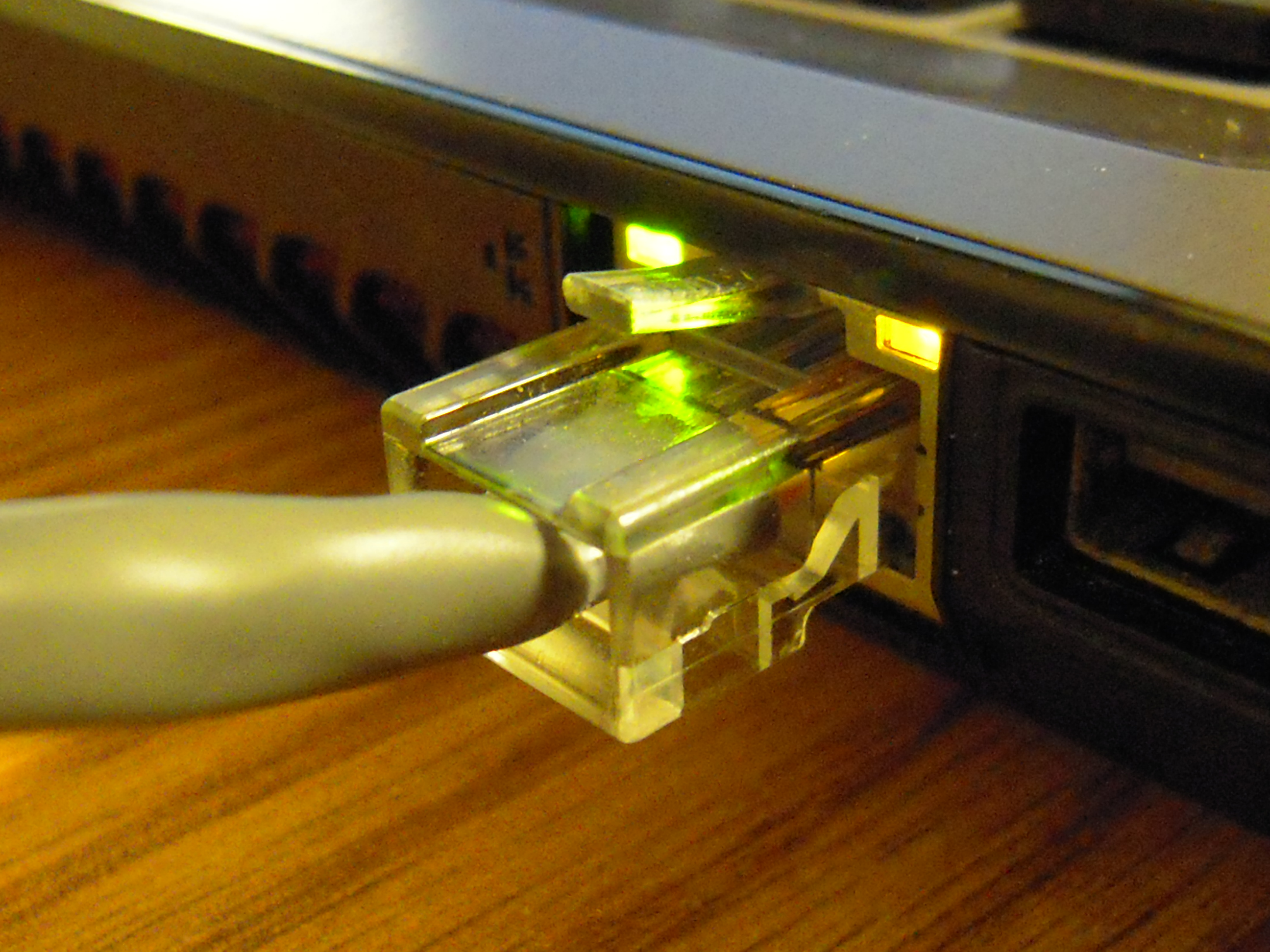
Ethernet_Connection.jpg
 
I did everything you said. When I type the ip in it takes me to my netgear genie page. The 2 LEDs are green and orange. I opened the apex browse and hit refresh and got nothing. The IP isn't taking me to the apex webpage.
 
I've cycled multiple times both apex and router. When I pull up router page my apex doesn't show. It shows a slot that has all dashes no IP or device name.
 
If I am not mistaken it should still work even if the firmware is out of date.
Normally, yes. However, when I got my first Apex, I received it with corrupt firmware that pretty much made it inoperable. It took them a few days to figure it out, but it's been all gravy after that.
 
OK would do this,

1. Reset the apex to default settings
2. Make sure the router gives it an ip address and you can ping the apex.
ping 192.168.1. <N: find out from the apex diaplay>
3. If you cannot ping the apex, contact apex for support because there no way we can help you here if the ip is not assigned to the apex.
 
Can you opne of cmd promt and do ping

on the cmd promt type in ping <ip address of apex>

if the IP address of apex is 192.168.1.10

then ping 192.168.1.10

You should get a response like the picture

upload_2015-10-22_12-25-41.png
 
Lol. Problem solved
Yeah, when I installed my Apex Jr for the first time after configuring the Netgear WNCE2001 WIFI adapter(which was a breeze), it was smooth sailing right out of the box. There must be some kind of firmware issue(hopefully and not hardware)
 
Ok so I finally got it to find the IP. I restarted my internet modem, router and apex 3 times lol now it says link. Not sure what happened but as long as its working now! Thanks everyone! Sorry for the confusion
 
Router issue .. I have an apple extreme and it does that once in a while .. Something to do with channel interference..when there are too many wireless networks
 
Hmm, then only the wireless connection should have issue, not the wired network right?. I guess that apple is not so extreme then :)

Router issue .. I have an apple extreme and it does that once in a while .. Something to do with channel interference..when there are too many wireless networks
 
If he/she was in a wired network from router then no
If on wired network through a gaming adapter on wireless then Yes

I agree Apple extreme is not extreme .. Apple don't use concept of port forwarding but called it NAT .. Just being different eh?

Aalso stupid thing is not a recommended as a router of choice for an Xbox one ... .
I need to restart my router everytime I want to go on xboxlive
 

IF YOU HAD TO TAKE A REEFING EXAM, WOULD YOU PASS?

  • Yes!

    Votes: 32 45.7%
  • Not yet, but I have one that I want to buy in mind!

    Votes: 9 12.9%
  • No.

    Votes: 26 37.1%
  • Other (please explain).

    Votes: 3 4.3%
Back
Top












