SPS Picture Taking

Colors are looking true don't be afraid to raise your ISO to get more light.
Yes thanks much better!

Is there like a limit you would suggest in terms of raising my ISO for a bit more light? Or I am assuming, I should just play around with it until I find that "sweet spot" ?
 
Very interesting all, there are a lot of variables to deal with, IMO and the biggest is your lighting.
I run a Pacific Sun hybrid, 8 x T5s and a 75 watt led program.
People that know me know I use a dslr, photography is a companion hobby for me, my Nikon and lens' live on my desk, they never leave the house!
I only shoot jpegs and don't own photoshop, I use windows live photo gallery to adjust contrast.
You need to find the best settings for your lights and some of the software / apps are great.
I just took this with my iphone SE, opened the camera and went click.
The second pic I took about an hour ago with my dslr.
Learn to use your phone as best you can but my top tip is to place your phone flat to the glass, the more the angle away from square on the more distortion you get plus it eliminates camera shake!
Hope that helps a bit! :)

iphone corals monti 021 by sshipuk, on Flickr

DSC_0003 by sshipuk, on Flickr
 
Very interesting all, there are a lot of variables to deal with, IMO and the biggest is your lighting.
I run a Pacific Sun hybrid, 8 x T5s and a 75 watt led program.
People that know me know I use a dslr, photography is a companion hobby for me, my Nikon and lens' live on my desk, they never leave the house!
I only shoot jpegs and don't own photoshop, I use windows live photo gallery to adjust contrast.
You need to find the best settings for your lights and some of the software / apps are great.
I just took this with my iphone SE, opened the camera and went click.
The second pic I took about an hour ago with my dslr.
Learn to use your phone as best you can but my top tip is to place your phone flat to the glass, the more the angle away from square on the more distortion you get plus it eliminates camera shake!
Hope that helps a bit! :)
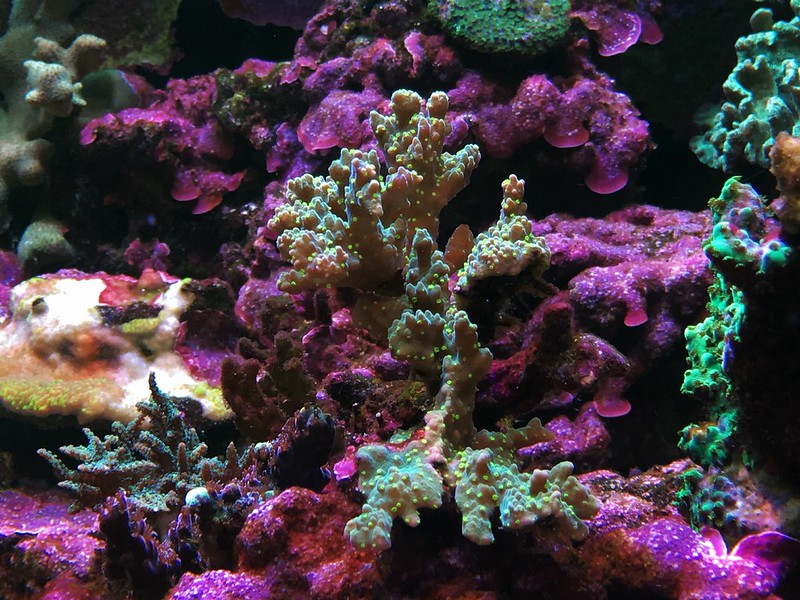
iphone corals monti 021 by sshipuk, on Flickr
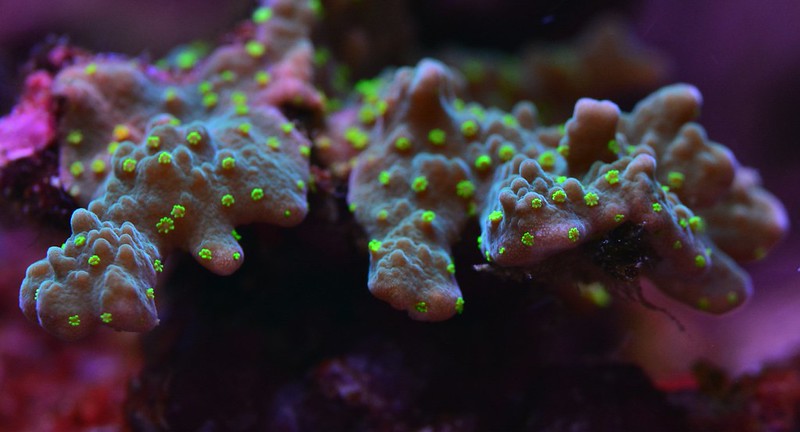
DSC_0003 by sshipuk, on Flickr
Great pics and great stuff.

I am going to play around a bit more later on ... of which I AM going to try placing my phone flush to the glass. Normally I do not do that.

Also, I have tried many apps for adjusting and working with the color. Found a really good one .. may be my favorite so far. Its called LightX
 
If you have a Samsung phone these are some great settings.


1.phone is a Samsung
2.Set camera to Pro mode
3.Set the Appratur to 1/90
4.Set the ISO to 50
5.WB to 10000k
6.Use Auto focus
Oh yeah there's are good settings.. thanks! Quick shot I just took after applying your settings.

0adda418902fbaf5f5c2527aef16afda.jpg
f267d3047dabf985a783b51c11d7c7b4.jpg
 
It’s cheap and easy...

260f8d093eefc0dfccd30c385e32e819.jpg


Above image shot on iPhone 6+ plain

Below is with a crop and a few adjustments in light room. Literally 20 seconds. And now it looks 100% accurate.

f71a2cedf38ec679f50701dd5542a09f.jpg
 
Last edited:
i know this had basically turned into a cell phone tips thread which is fine! cell phones these days take GREAT pictures.

i will say you can buy a CHEAP USED DSLR and macro extension tube for ~$200.

obviously this is still more expensive than an already purchased cell phone, but to people who are thinking of buying that cool iPhone macro lens for $100 or whatever, or may not be that much more.
 

IF YOU HAD TO TAKE A REEFING EXAM, WOULD YOU PASS?

  • Yes!

    Votes: 32 45.7%
  • Not yet, but I have one that I want to buy in mind!

    Votes: 9 12.9%
  • No.

    Votes: 26 37.1%
  • Other (please explain).

    Votes: 3 4.3%

New Posts

Back
Top